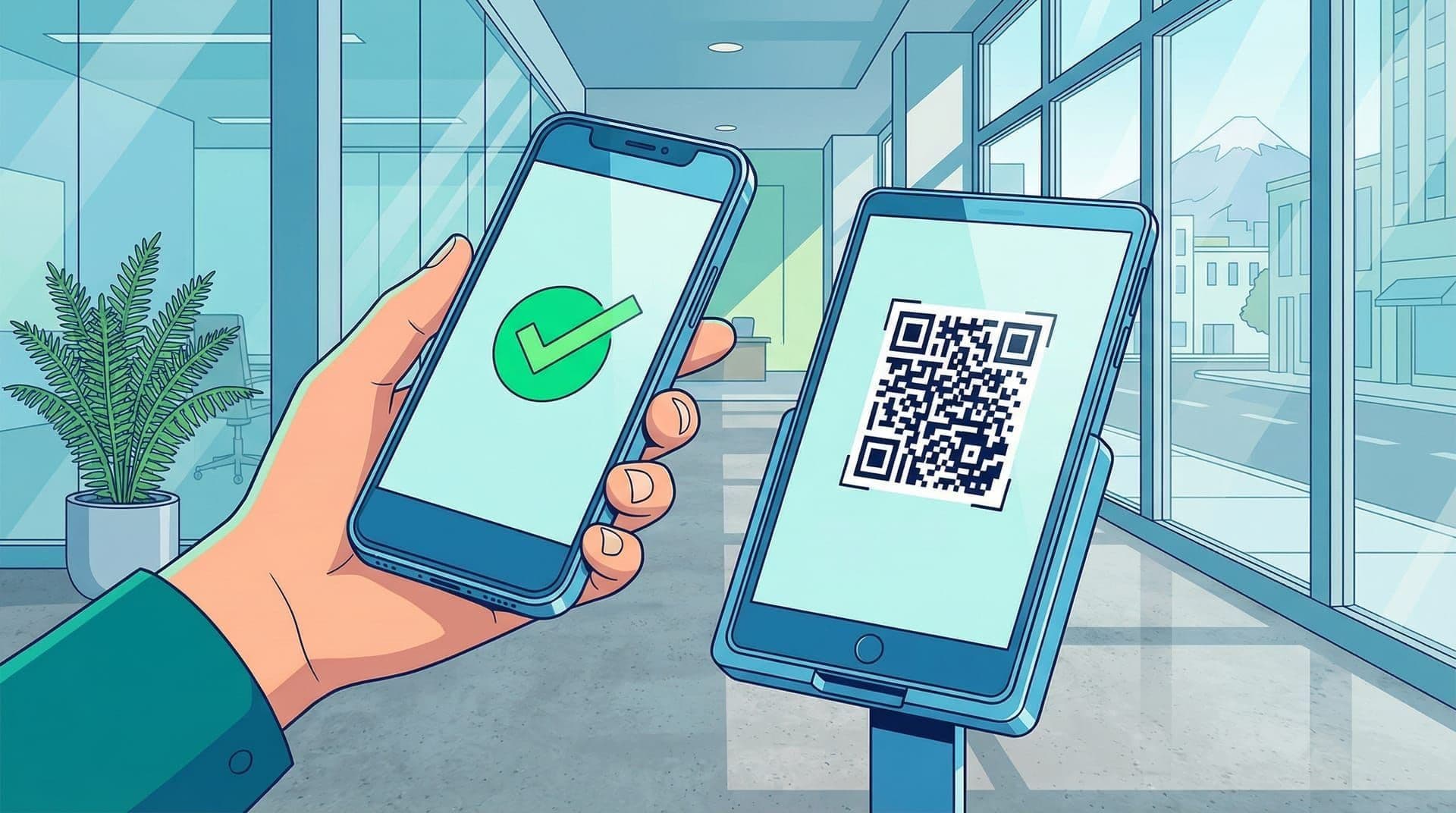
When New Zealand's COVID-19 vaccine mandate came into effect in late 2021, every business operating a physical workplace faced a new compliance requirement overnight. Staff and visitors needed to present a valid My Vaccine Pass before entering a facility. For Connect NZ, an insurance device repair and assessment company running facilities where technicians worked on devices for IAG, Vero, and Tower, the mandate was not optional. It was a condition of continuing to operate.
The government issued My Vaccine Pass QR codes. Businesses were expected to verify them. But the tools available for doing so were limited, slow, and designed for consumer-facing retail rather than a workplace processing dozens of people through a facility each day. We built a native iOS vaccine pass verification app that integrated with the NZ Government's verification API, replacing manual visual checks with instant, contactless QR scanning. The app ran daily at Connect NZ's facilities throughout the mandate period.
Why was manual vaccine pass verification a problem for NZ workplaces?
New Zealand's 2021 vaccine mandate required businesses to verify COVID-19 vaccine passes before granting facility access. Manual verification, where a staff member visually inspected a QR code on a phone screen, was slow, error-prone, and required close physical proximity between the checker and the person being checked. For a busy repair facility processing dozens of staff and visitors daily, manual checking created bottlenecks and contradicted the health and safety principles the mandate was trying to enforce.
The NZ Government's My Vaccine Pass was a QR code. It contained the holder's vaccination status in a cryptographically signed format that could be verified against a public key published by the Ministry of Health. In theory, this was elegant. In practice, the verification burden fell entirely on the business.
The government released its own NZ Pass Verifier app, but it was a consumer tool designed for retail scenarios: a cafe checking one customer at a time. Connect NZ's situation was different. Multiple technicians arriving at shift start. Courier drivers dropping off devices. Insurance assessors visiting for inspections. Contractors. Cleaners. The volume of people moving through the facility on a given day was not a trickle. It was a steady flow, concentrated at predictable pinch points like shift changes and morning deliveries.
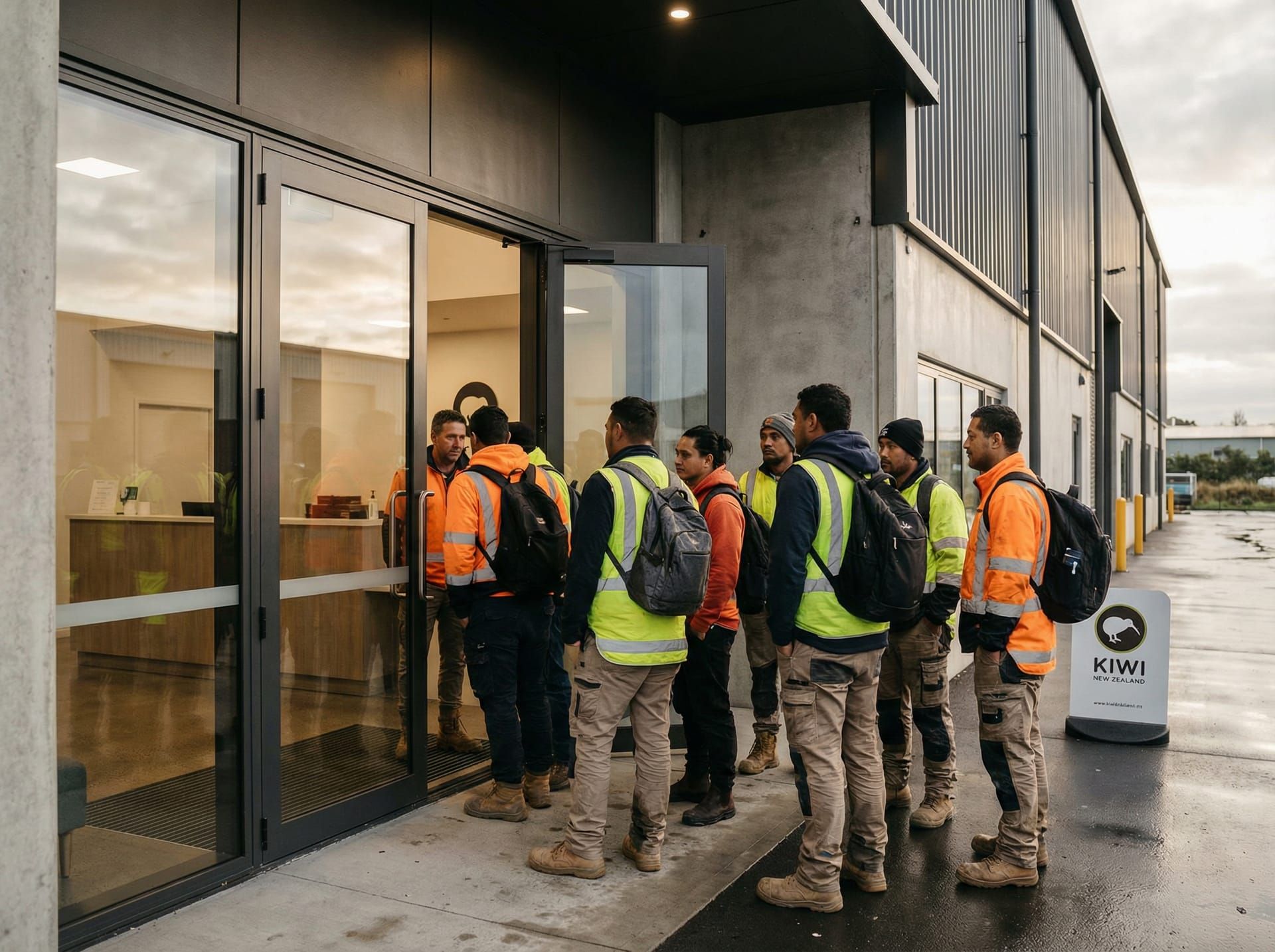 A busy device repair facility processes dozens of staff, contractors, and visitors daily. Manual vaccine pass checking created bottlenecks at every entry point.
Manual checking had three specific problems. First, speed. A staff member standing at the door, squinting at a QR code on someone's phone screen, trying to determine whether it was legitimate or a screenshot of someone else's pass, added 30 to 60 seconds per person. At shift change, that meant a queue forming outside the building. Second, accuracy. A visual check of a QR code tells you nothing about its cryptographic validity. A photograph of a valid pass looks identical to the real thing on a phone screen. Without actually decoding and verifying the QR data against the government's public key, visual checks were security theatre. Third, proximity. The entire point of vaccine mandates was to reduce disease transmission in workplaces. Having two people lean in close to examine a phone screen was exactly the kind of close contact the mandate existed to prevent.
The compound cost was not just operational. Connect NZ had a duty of care to its technicians and to the insurance partners whose devices passed through the facility. If an outbreak shut down operations, the same claims pipeline we had kept running through lockdown with the virtual device assessment platform would grind to a halt again. The mandate was not bureaucracy. It was the mechanism keeping the facility open. Compliance needed to be airtight.
How did we build a contactless vaccine pass scanner for iOS?
We built a native iOS application that used the device camera to scan My Vaccine Pass QR codes in real time, decoded the cryptographic payload, verified the digital signature against the NZ Government's published public key, and displayed a clear pass or fail result. The entire verification process took under two seconds and worked at arm's length, eliminating the need for physical proximity between the person checking and the person being checked.
The decision to build natively for iOS was driven by a single constraint: camera performance. QR code scanning requires fast autofocus, reliable barcode detection, and low-latency image processing. Native iOS development using AVFoundation gave us direct access to the camera hardware with none of the abstraction overhead that a web-based or cross-platform approach would have introduced. The government's own verifier app was also native, which validated the approach. When the core function of your app is pointing a camera at something and reading it instantly, you build for the hardware.
How does NZ's My Vaccine Pass QR code actually work?
The NZ Government's My Vaccine Pass uses a CBOR Web Token (CWT) encoded in a QR code, containing the holder's name, date of birth, and vaccination status. The token is digitally signed using the Ministry of Health's private key, and any verifier can confirm authenticity by checking the signature against the publicly available public key. This cryptographic structure means a valid pass cannot be forged, altered, or transferred without breaking the signature.
The technical chain is straightforward. The QR code contains a base45-encoded CBOR structure. Scanning the code gives you the encoded payload. Decoding that payload gives you the CWT, which contains the claims data (vaccination status, holder identity) and a digital signature. Verifying the signature against the Ministry of Health's public key confirms the data has not been tampered with and was issued by a legitimate authority.
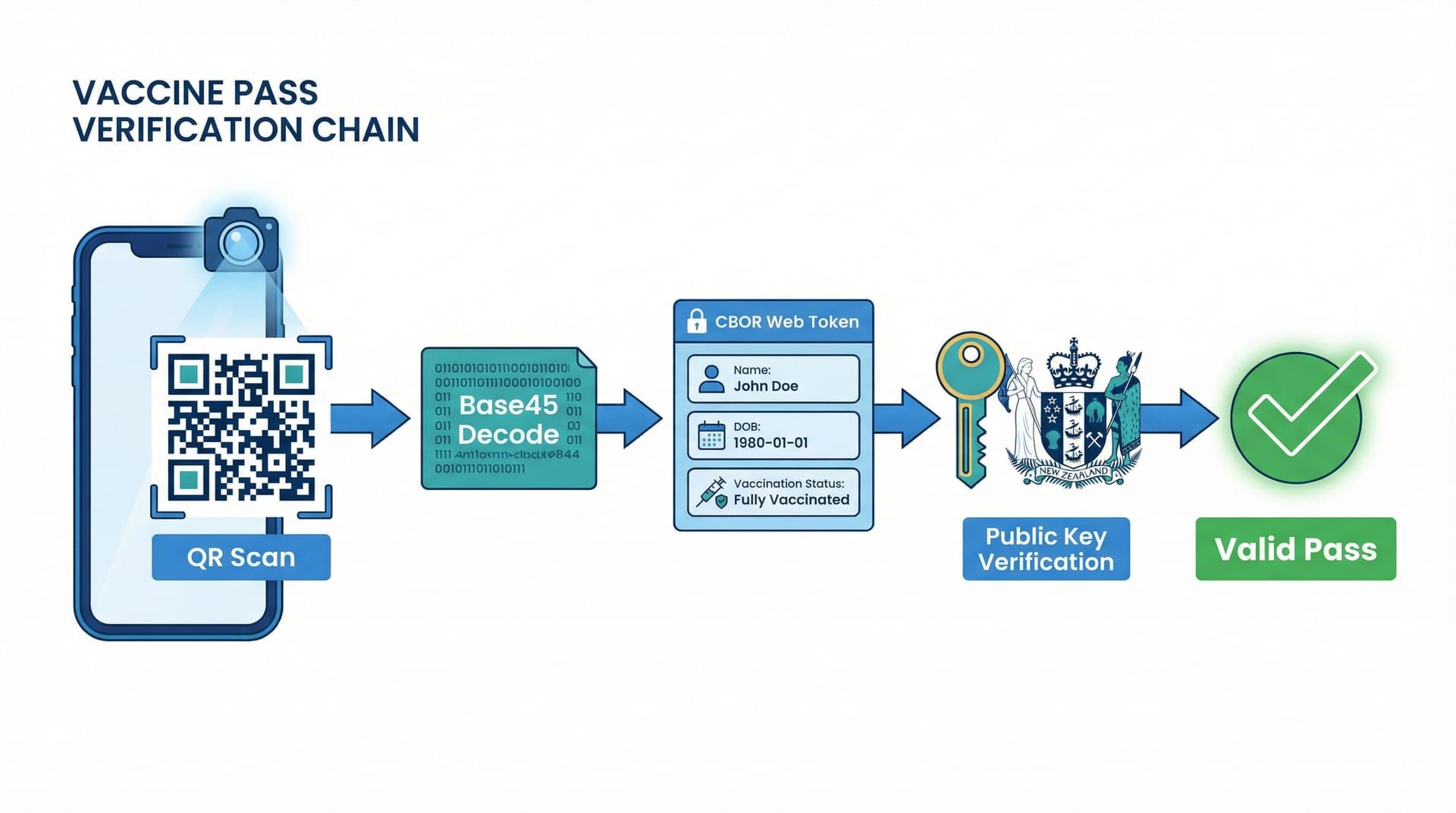 The verification chain: scan the QR code, decode the CBOR Web Token, verify the digital signature against the NZ Government's public key. A valid pass produces a green result in under two seconds.
Our app performed this entire chain on-device. No data was sent to an external server. No personal information was stored. The pass was scanned, verified, and the result was displayed. Then the data was discarded. This was a deliberate privacy decision. The app needed to answer one question: is this pass valid? It did not need to record who was scanned, when, or how many times. For a workplace verification tool, minimising data collection was both a privacy obligation and a practical simplification.
What role did the NZ Government API play in real-time verification?
The NZ Government published the public keys and verification rules required to validate My Vaccine Pass QR codes, enabling any authorised verifier to confirm pass authenticity without sending personal data to a central server. Our iOS app used these published credentials to perform cryptographic verification locally on the device, ensuring real-time validation with zero dependency on network connectivity at the point of scan.
The integration with the government's verification infrastructure was lightweight by design. The public key used to verify pass signatures was fetched and cached locally. The verification rules, including which vaccine schedules counted as fully vaccinated, were similarly cached. This meant the app could verify passes even if the facility's internet connection dropped temporarily. In a repair centre where Wi-Fi coverage near entry points was not guaranteed, offline-capable verification was a practical necessity.
We kept the app updated as the Ministry of Health published changes to verification rules and key rotations. The update cycle was managed through standard iOS app distribution. Because Connect NZ was the sole user, we could push updates directly without the delays of public App Store review processes.
How did the user interface prioritise speed and clarity?
The app's interface was stripped to its minimum: a camera viewfinder and a result indicator. Point the device. Scan the code. Green screen for a valid pass, red screen for an invalid one, with the holder's name displayed briefly for visual confirmation. No menus, no settings screens, no unnecessary interactions.
The design logic was that the person operating the scanner was not a technology enthusiast. They were a receptionist, a team leader, or a facilities coordinator who had a dozen other things to do that morning. The app needed to be picked up and used without instructions. One tap to open. Point at the QR code. Read the colour. Move on to the next person.
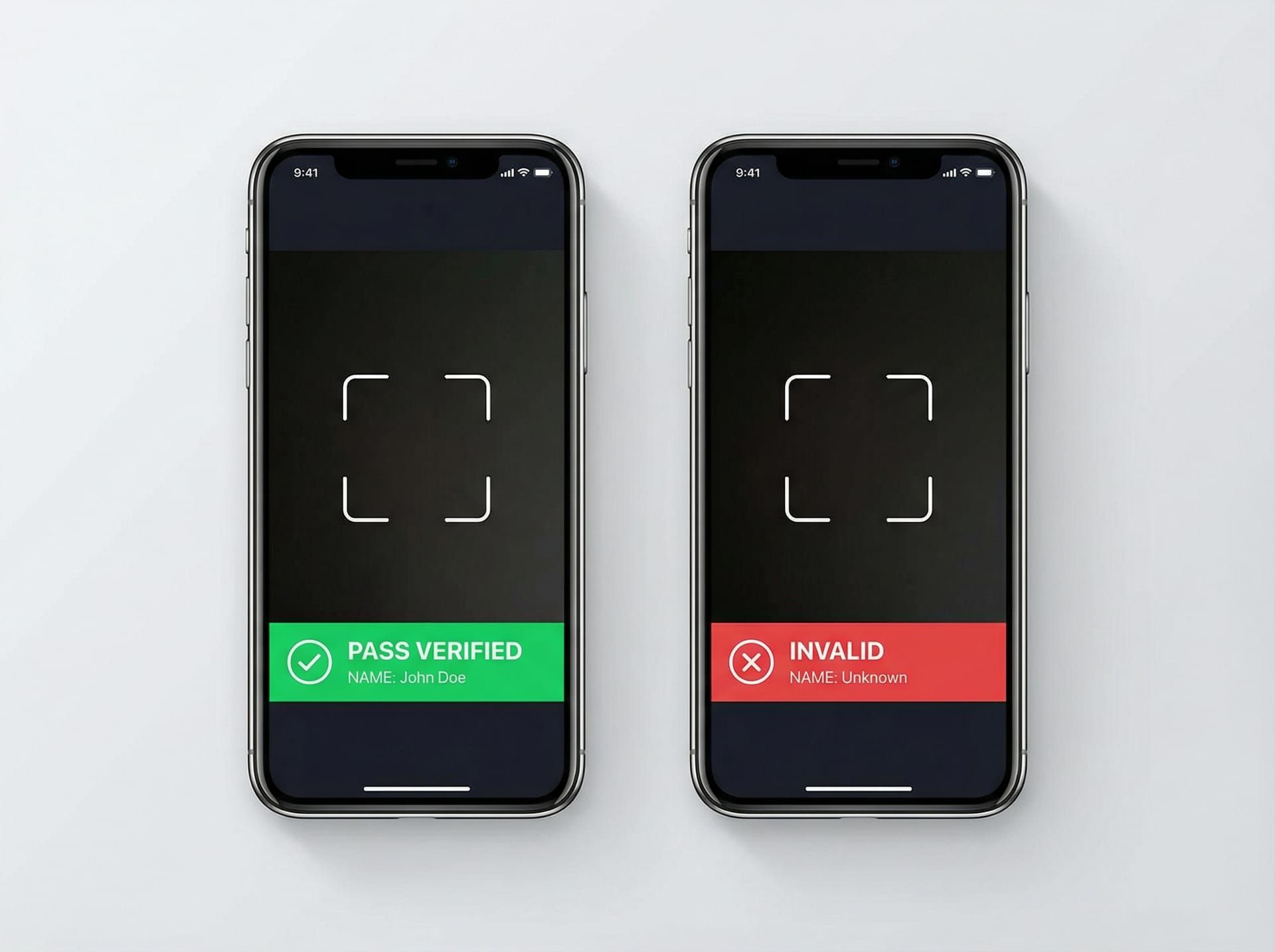 The interface was deliberately minimal: camera viewfinder, scan, and an unmistakable colour-coded result. No training required.
Response time was critical. The scan-to-result cycle needed to be fast enough that it did not create a queue. Under two seconds from the moment the QR code entered the camera frame to the result appearing on screen. That speed was achievable because the cryptographic verification happened locally, with no network round-trip at the point of scan.
What happened when the vaccine pass verifier went live at Connect NZ?
When the iOS vaccine pass verifier was deployed at Connect NZ's facilities, it replaced manual visual checking with instant cryptographic verification, processing each pass in under two seconds. Staff, contractors, and visitors were verified at arm's length with zero physical proximity required. The app ran daily throughout the mandate period, keeping the facility compliant and operational without creating entry bottlenecks.
The first morning was the proof point. Shift change brought a cluster of technicians arriving within a 15-minute window. The receptionist scanned each pass as people walked in. No queue formed. No one had to stop and hold their phone up for inspection. The scanner read the QR code from a comfortable distance, flashed green, and the next person stepped forward. What had been a 30 to 60 second interaction per person became a two-second scan.
The accuracy improvement was binary. Manual checks could not distinguish a valid pass from a screenshot or a photo of someone else's pass. The cryptographic verification could. Every pass scanned through the app was verified against the government's digital signature. If the data had been altered, copied, or forged, the verification would fail. This was not a theoretical benefit. During the mandate period, reports of fraudulent passes circulated nationally. Connect NZ's verification was immune to those attempts because the check was mathematical, not visual.
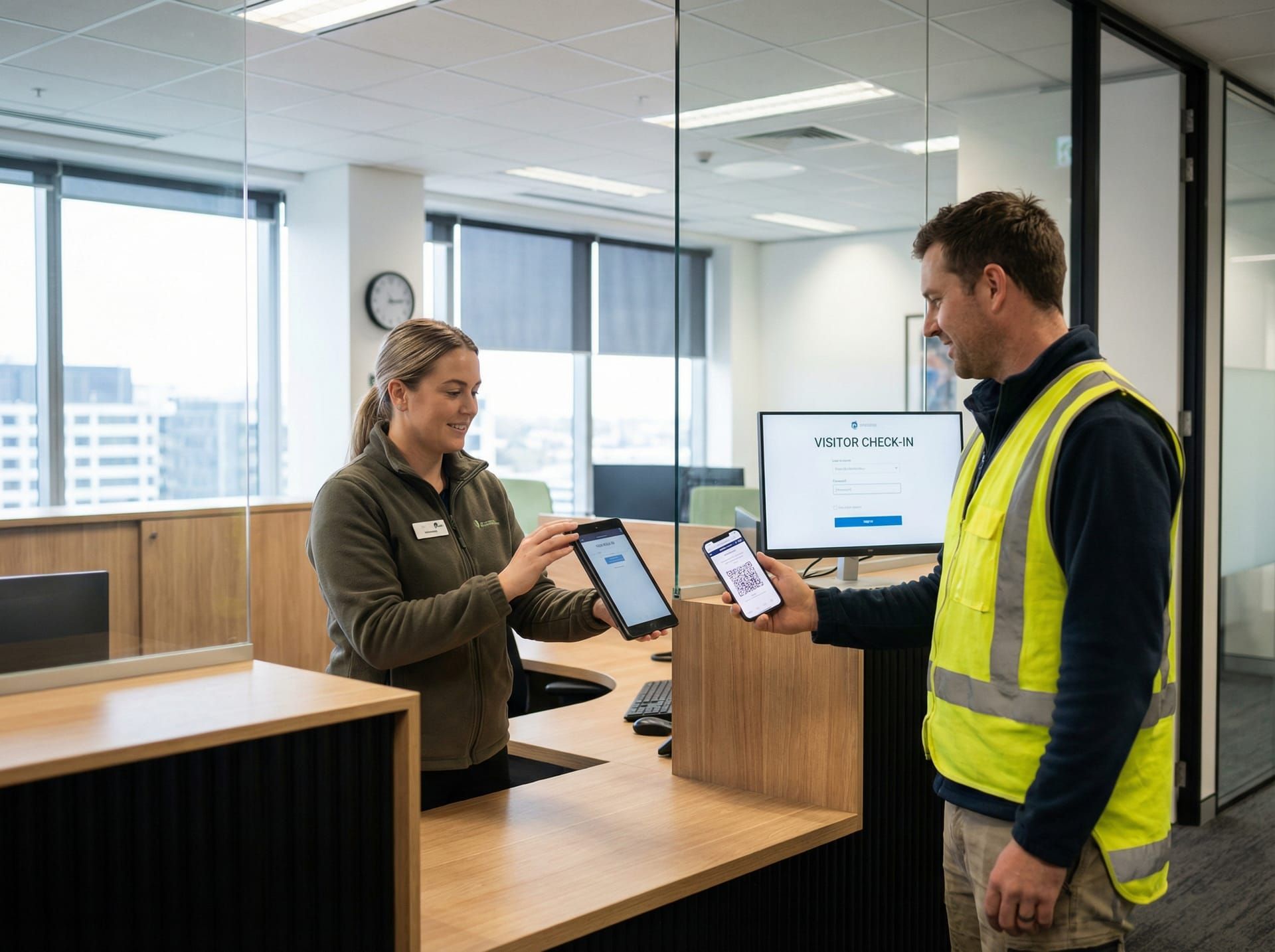 Daily verification became a two-second interaction rather than a bottleneck. The contactless scan meant compliance did not compromise the health and safety objectives it was designed to support.
The contactless operation addressed the fundamental contradiction in manual checking. The person verifying passes no longer needed to lean in, handle someone's phone, or stand within breathing distance. The scanner worked at arm's length. For a facility operating under pandemic health and safety protocols, this was not a convenience. It was a requirement that manual checking simply could not meet.
Connect NZ maintained full compliance throughout the mandate period. No disruptions. No outbreaks traced to facility access failures. No operational shutdowns. The technicians kept working. The claims pipeline for IAG, Vero, and Tower, the same pipeline we had built the virtual assessment platform to protect, stayed operational.
This project was one of several we delivered for Connect NZ during the pandemic period. The virtual device assessment platform kept claims moving through lockdown. The vaccine pass verifier kept the facility open once lockdown lifted. Both projects shared the same underlying principle: when a physical process becomes a liability, build a digital replacement that is faster, safer, and more reliable than what it replaces. That principle continues to guide our consulting practice at EmbedAI.
What technology powered the iOS vaccine pass verifier?
Native iOS (Swift) — Core application built natively for iOS using Swift, providing direct hardware access to the device camera via AVFoundation for low-latency QR code detection and scanning.
AVFoundation Camera Framework — Apple's native camera framework for real-time video capture and barcode detection. Enabled sub-second QR code recognition without third-party scanning libraries.
CBOR / CWT Decoding — On-device decoding of the CBOR Web Token payload embedded in My Vaccine Pass QR codes. Extracted holder identity and vaccination status claims from the cryptographically signed token structure.
Cryptographic Signature Verification — Local verification of the digital signature on each scanned pass against the NZ Ministry of Health's published public key. Confirmed pass authenticity without transmitting personal data to any external server.
NZ Government Verification API — Public key and verification rule distribution endpoint published by the Ministry of Health. Keys and rules cached locally on the device for offline-capable verification at the point of scan.
Minimal Data Architecture — Zero personal data storage by design. Pass data was decoded, verified, displayed, and discarded within the scan cycle. No logs, no records, no identifiable data retained on the device.
FAQ
How did NZ businesses verify COVID-19 vaccine passes at the workplace?
New Zealand businesses were required to verify My Vaccine Pass QR codes before granting facility access during the 2021-2022 vaccine mandate period. Options ranged from manual visual inspection to dedicated scanning apps that cryptographically verified the pass against the NZ Government's published keys. Purpose-built apps like the one we developed for Connect NZ verified passes in under two seconds with full cryptographic validation, replacing error-prone visual checks.
Can a QR code vaccine pass be forged or faked?
The NZ My Vaccine Pass used a cryptographically signed CBOR Web Token. A valid pass could only be generated with the Ministry of Health's private key, which was never publicly available. While a screenshot or photo of a valid pass might fool a visual check, any app performing proper cryptographic verification would immediately reject a forged, altered, or copied pass because the digital signature would not validate.
Why build a custom vaccine pass verifier instead of using the government app?
The NZ Government's NZ Pass Verifier was designed for retail scenarios: one customer at a time. Workplaces processing dozens of staff and visitors at shift changes needed faster throughput, offline capability, and an interface optimised for non-technical operators in high-volume environments. A custom build allowed us to tailor the scanning speed, UI simplicity, and deployment model to Connect NZ's specific facility requirements.
Does EmbedAI build compliance and workplace safety apps for NZ businesses?
Yes. EmbedAI delivers custom software solutions for New Zealand businesses facing operational and compliance challenges. From crisis-response platforms during COVID-19 to AI-powered automation tools for ongoing operations, we build practical technology that solves real workplace problems. Contact us to discuss your requirements.