
The best automation is the kind you forget exists.
For years, an insurance claims processing centre in New Zealand has been receiving email notifications containing XML-formatted claim data. Each email arrives, gets parsed, and creates a job record in the FileMaker Pro database. Hundreds of claims per week flow through this pipeline. The system runs 24 hours a day, seven days a week. It processes claims on public holidays. It works through weekends. It has been doing this, continuously, for years.
And nobody watches it.
This is not a cutting-edge AI system. It is not a cloud-native microservices architecture. It is VBA, Python, and a FileMaker Pro API, orchestrated together to do one thing exceptionally well: take repetitive, structured data from emails and turn it into database records without requiring a human to copy and paste. The technology is unremarkable. The achievement is in the reliability.
We built the Email-to-XML automation during the Connect NZ era (2016–2024) to solve a manual data entry bottleneck that was delaying insurance claim processing. What started as a straightforward automation project became a case study in "set-and-forget" reliability — the kind of system that works so consistently, you stop thinking about it. This is that story.
Why do insurance claims processors waste hours on email data entry?
Email notifications arrive throughout the working day. Each one contains a claim referral from an insurer. Embedded within the email is an XML file with structured data: claimant details, policy number, incident description, contact information, job requirements. In a manual workflow, someone opens the email, downloads or copies the XML content, parses the relevant fields, and enters them into the FileMaker Pro database that manages the repair centre's job queue.
This is not complex work. It is repetitive, structured, and predictable. But it is also necessary, time-consuming, and error-prone. A single claim might take five to ten minutes to process manually. Not because extracting data from XML is intellectually demanding, but because copying and pasting across multiple fields, validating formats, and ensuring nothing is missed requires attention. Across hundreds of claims per week, the cumulative time cost is measured in full working days.
The errors compound the problem. A misread policy number means a claim gets queued incorrectly. A transposed digit in a phone number means the customer does not get contacted. A missed field means the technician arrives on-site without critical information. These are not catastrophic failures, but they create friction. Claims get delayed. Customers call to ask about status. Staff spend time fixing data rather than assessing devices.

Manual email monitoring and data entry created bottlenecks in the claims intake process.
For an insurance repair centre processing 80 to 100 claims daily during peak periods, manual email-to-database workflow was the constraint. Not technician capacity. Not parts supply. Data entry. The bottleneck was someone copying XML fields into FileMaker forms, one claim at a time, while new emails kept arriving.
The cost is not just time. It is also opportunity cost. Skilled staff who understand claims assessment, damage categorisation, and repair logistics were spending hours each week on data transcription. That is a mismatch between skill level and task complexity — exactly where automation earns its return on investment.
What does 'set-and-forget' automation actually look like?
The Email-to-XML automation eliminates the human from the email-to-database workflow entirely. When a claim referral email arrives, the system detects it, extracts the content, parses the XML data, validates the fields, and creates a job record in FileMaker Pro — all without manual intervention. The entire process takes seconds rather than minutes. More importantly, it runs continuously, 24 hours a day, without supervision.
The architecture orchestrates three components, each handling a specific layer of the workflow. VBA (Visual Basic for Applications) monitors the Outlook inbox continuously, filters incoming emails for claim referrals based on sender address and subject patterns, and extracts the email body and any XML attachments. Python receives the extracted content, parses the XML structure using standard libraries, validates the data against expected schemas, and transforms it into the format required by FileMaker Pro. The FileMaker Pro API receives the validated data and creates job records directly in the database, bypassing the manual data entry interface entirely.
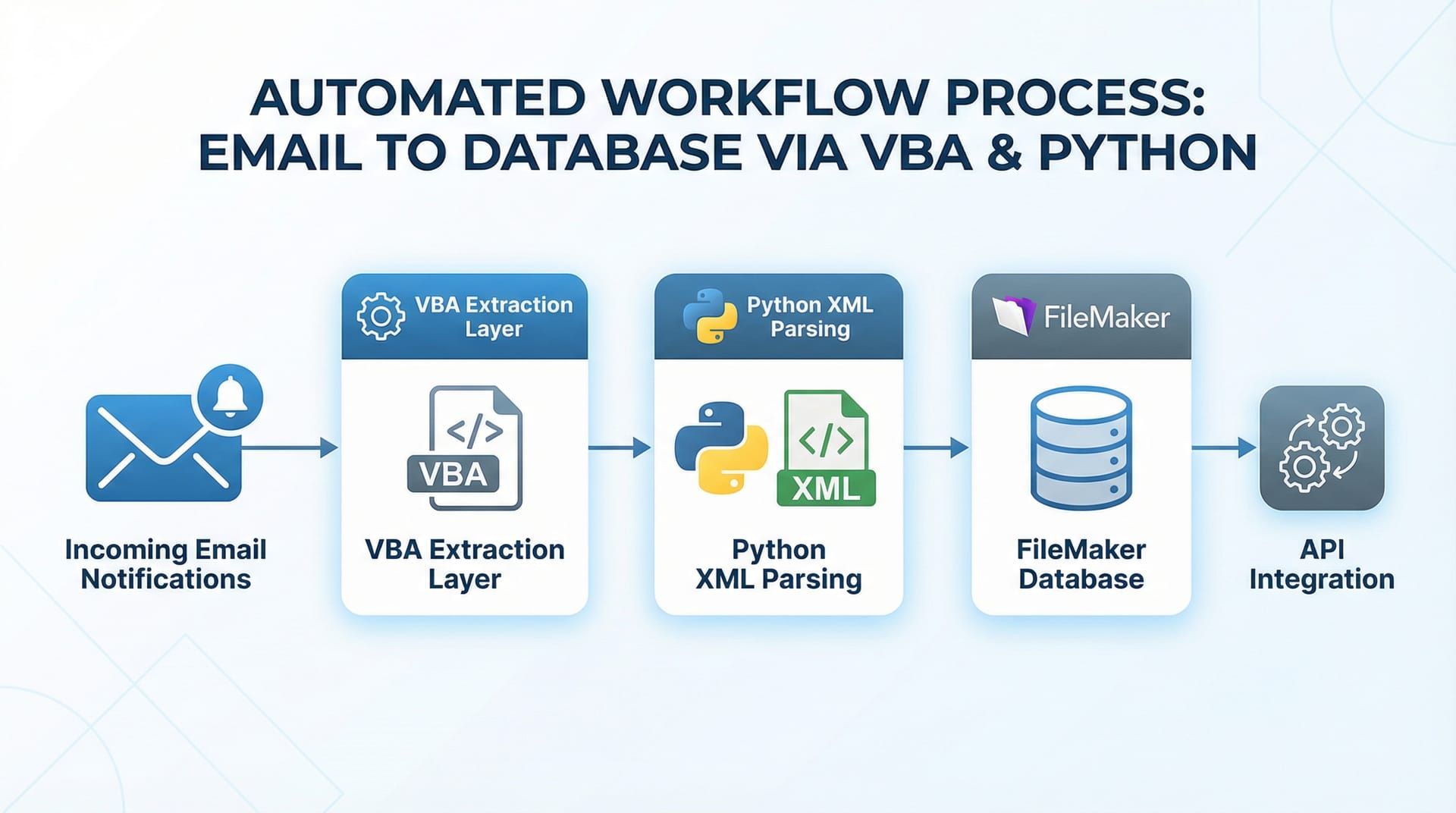
The automation orchestrates three systems: VBA for email extraction, Python for XML parsing, and FileMaker Pro API for database insertion.
This is not a complex system. Each component does one thing. VBA watches emails. Python parses XML. FileMaker creates records. The power is in the integration — three mature, stable technologies working together in a continuous loop. No cloud dependencies. No external APIs beyond FileMaker's own interface. No recurring subscription costs beyond the existing Microsoft and FileMaker licences the business already held.
The workflow is linear: email → VBA → Python → FileMaker → job record. There are no branches, no decision trees, no machine learning models trying to interpret ambiguous data. The XML format is structured and predictable. The parsing logic is deterministic. This is traditional automation in the best sense: reliable, fast, and invisible.
For a services engagement like this, the brief was clear. Remove the manual bottleneck. Maintain data integrity. Ensure the solution could run unattended. We built exactly that, and it has been running without significant intervention since deployment.
How does email monitoring work without human intervention?
The VBA component runs as a persistent background process within Microsoft Outlook. It uses Outlook's event-driven architecture to trigger whenever a new email arrives in the monitored inbox. The script filters emails based on predefined criteria: sender domain (claim referral providers), subject line patterns (containing specific keywords like "Claim Referral" or "New Job"), and the presence of XML content in the email body or attachments.
When a qualifying email is detected, the VBA script extracts the relevant content. For emails with XML attachments, it saves the attachment to a designated processing folder. For emails with XML embedded in the body, it extracts the content directly from the email text. The script then writes an entry to an activity log file, recording the email sender, subject, timestamp, and processing status. This logging is critical for audit trails and troubleshooting edge cases.
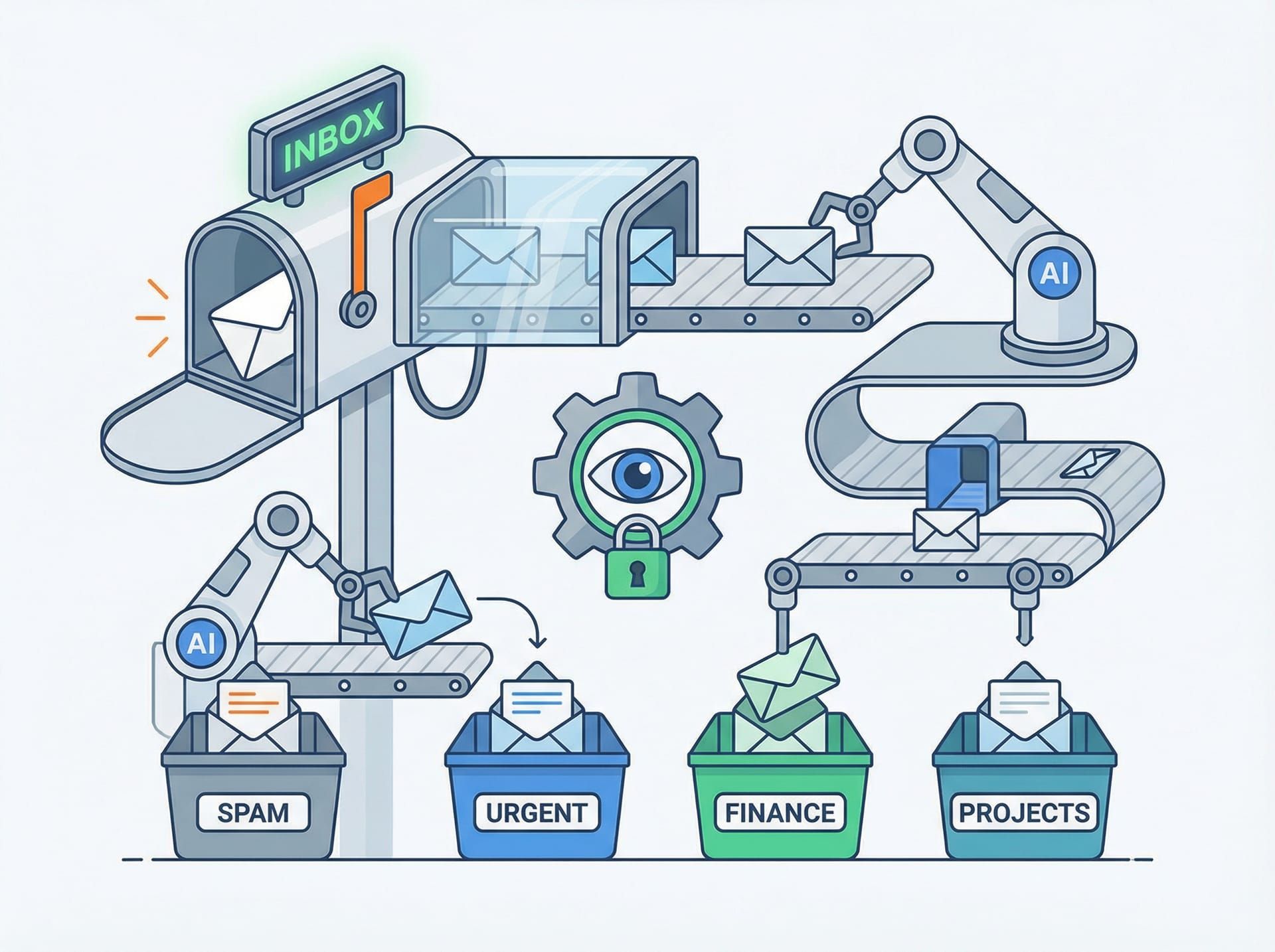
The VBA component monitors incoming emails continuously, identifying and extracting claim referral notifications without human supervision.
Once the XML content is extracted and saved, the VBA script triggers the Python processing pipeline. This is handled through a simple command-line execution: the VBA script calls a Python executable with the path to the extracted XML file as an argument. The handoff is synchronous — the VBA script waits for Python to complete processing before marking the email as processed and moving it to an archive folder.
The continuous operation aspect is crucial. The VBA script is configured to start automatically when Outlook launches. On the processing workstation, Outlook is set to launch on system startup. The Windows Task Scheduler ensures the workstation itself restarts automatically after updates or power interruptions. This layered approach to persistence means the automation resumes operation without manual intervention, even after planned or unplanned system restarts.
Error handling is built into every stage. If an email matches the filter criteria but contains no XML content, the script flags it for manual review and continues processing subsequent emails. If the Python handoff fails, the script logs the error, sends an automated alert email to the operations team, and retries the processing after a configurable delay. The system is designed to degrade gracefully — edge cases get flagged for human attention, but the automation continues processing the 95% of emails that follow the expected format.
How does Python turn XML chaos into structured data?
Python receives the file path to an extracted XML file from the VBA script and begins parsing. The script uses Python's standard library xml.etree.ElementTree module to read the XML structure and extract specific tags that map to the FileMaker Pro database fields. Insurance claim XML referrals typically contain nested structures: policy holder information, claim details, incident descriptions, contact information, and job requirements. The Python script navigates this hierarchy and flattens it into key-value pairs that the FileMaker API can consume.
Validation happens at multiple levels. The script first checks that the XML is well-formed and can be parsed without errors. It then validates that all required fields are present in the XML structure. If mandatory fields like policy number, claimant name, or contact phone number are missing, the script flags the file as incomplete and routes it to a manual review queue. For optional fields, the script provides sensible defaults or leaves them empty, depending on the field's role in the downstream workflow.
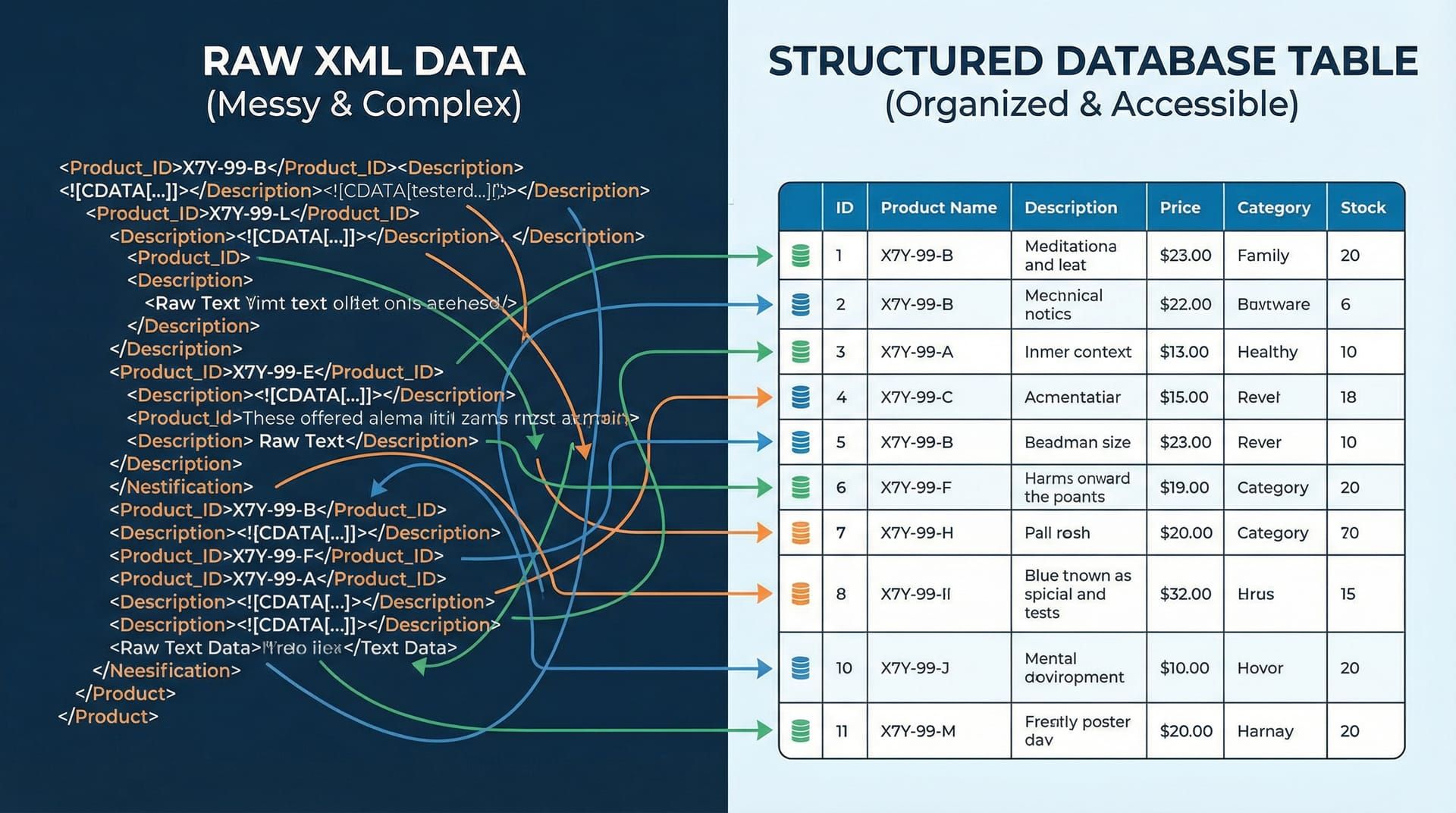
Python transforms complex nested XML into clean, validated data ready for database insertion.
Data transformation is where the Python script earns its keep. Phone numbers arrive in various formats: (04) 123-4567, +64 4 123 4567, 041234567. The script normalises these to a consistent format that matches the FileMaker database schema. Dates might be formatted as DD/MM/YYYY, YYYY-MM-DD, or even written as "15 March 2024". The script parses these variations and converts them to ISO 8601 format. Addresses might include or exclude postal codes, use abbreviations like "St" or "Street", or contain special characters. The script handles these variations to ensure consistent data quality downstream.
Once the data is extracted, validated, and transformed, the Python script constructs a JSON payload that matches the FileMaker Pro API specification. This payload includes all the job fields: claimant details, device information, job type, priority level, assigned technician (if specified in the XML), and scheduled date. The script then makes an authenticated HTTP POST request to the FileMaker Data API endpoint, creating a new job record in the database.
The FileMaker API returns a response indicating success or failure. If the record creation succeeds, Python logs the success, moves the processed XML file to a "completed" folder, and exits with a success status code that the VBA script can interpret. If the API call fails (network issue, authentication error, database constraint violation), Python logs the error with full details, moves the XML file to a "failed" folder, and exits with an error code. This separation of outcomes into distinct folders provides clear visibility into processing status and makes troubleshooting straightforward.
The beauty of this approach is that it handles the messiness of real-world data without requiring human intervention for the majority of cases. When XML arrives in an unexpected format or contains data that cannot be automatically transformed, the system flags it for review rather than silently creating incorrect records. This fail-safe design maintains data integrity while maximising automation coverage.
What makes this automation reliable enough to run for years?
Reliability in automation is not about eliminating errors. It is about anticipating them, handling them gracefully, and ensuring the system continues operating when the inevitable edge case appears. The Email-to-XML automation has been running for years because it was designed with failure modes in mind from the start.
Comprehensive logging is the foundation. Every significant event is recorded: email received, XML extracted, parsing started, validation passed or failed, API call made, record created. These logs are timestamped, include the full context (email subject, sender, file path, error messages), and are written to both local files and a centralised monitoring system. When something goes wrong, the logs provide enough information to diagnose the issue without requiring access to the original email or XML file.
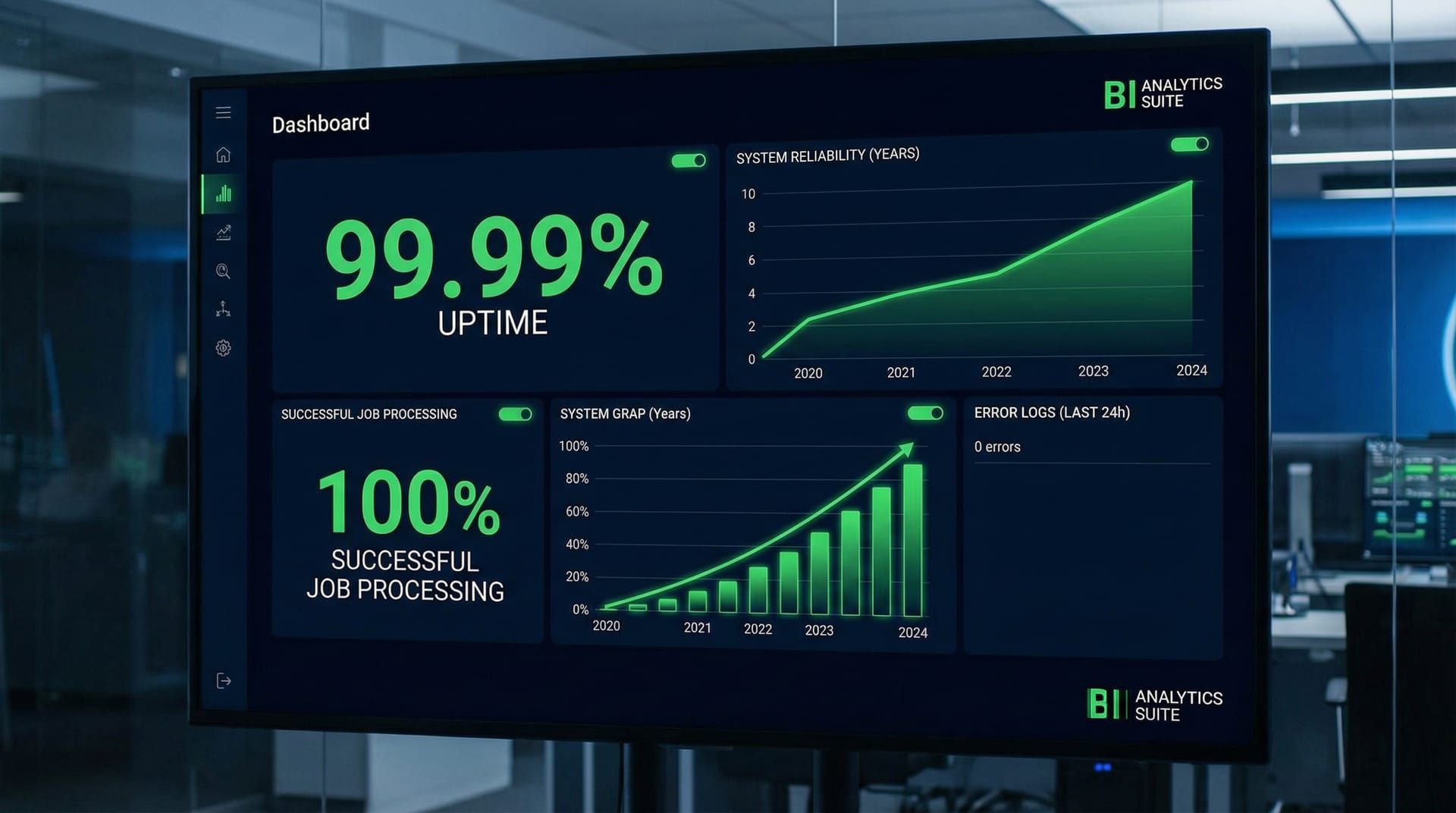
Comprehensive logging and monitoring ensure reliable operation, with automated alerts for the rare edge cases that require human review.
Error handling is specific, not generic. The system does not have a catch-all "if error, send alert" handler. Each potential failure point has its own handling logic. If an email arrives without XML content, that is logged as "no XML found" and the email is moved to a specific review folder. If XML parsing fails due to malformed structure, that is logged as "parse error" with the specific line number and error message, and the file is moved to a "malformed XML" folder. If the FileMaker API returns a validation error (duplicate policy number, invalid field format), that is logged with the API response details and moved to a "database constraint violation" folder.
This granular error handling makes troubleshooting fast and prevents different error types from being conflated. A quick glance at the folder structure shows the distribution of issues: 95% in "completed", 2% in "no XML found", 1% in "malformed XML", 1% in "API errors", 1% in "manual review required". Each category has its own resolution path. This is operational visibility that generic error handling cannot provide.
Automated alerts are selective. The system does not send an email alert for every edge case — that would create alert fatigue and train the operations team to ignore notifications. Instead, alerts are triggered only for conditions that require immediate attention: VBA script crash, Python process hanging for more than five minutes, FileMaker API authentication failure, or consecutive failures exceeding a threshold (e.g., more than five emails failing to process within an hour). These alerts include enough context to diagnose remotely and are sent to a monitored email address and a Slack channel that the operations team actively watches.
Automatic restart and recovery mechanisms ensure uptime. The VBA script includes a watchdog timer that detects if it has stopped processing emails for an unusually long period (e.g., no activity for two hours during business hours). If triggered, the watchdog attempts to restart the email monitoring process. The Python scripts are stateless — each invocation processes a single XML file and exits cleanly, so there is no risk of a hung Python process blocking subsequent processing. The Windows Task Scheduler monitors the Outlook process and restarts it if it crashes, ensuring the VBA automation resumes immediately.
The result of this multi-layered reliability architecture is a system that has run for years with minimal intervention. Occasional schema changes from the insurance providers require updates to the XML parsing logic. Windows updates occasionally require a workstation restart. But the day-to-day operation is invisible. Claims arrive, records are created, and nobody needs to watch it happen. That invisibility is the measure of success.
What happened when the automation went live?
When the Email-to-XML automation was deployed, the immediate impact was felt in two areas: processing speed and staff allocation. Claims that previously required five to ten minutes of manual data entry were now entering the database in under thirty seconds from the moment the email arrived. For a centre processing 80 to 100 claims daily during peak periods, this translated to 10 to 15 hours of saved staff time per week.
The speed improvement was not just about volume. It was about responsiveness. In the manual workflow, claim intake had a latency determined by staff availability. If the person responsible for data entry was in a meeting, on break, or dealing with a complex case, new emails sat in the inbox. With automation, the latency became the time it took for the email to arrive plus the 20 to 30 seconds of processing time. This meant technicians could be assigned to jobs faster, customers received contact sooner, and the entire claims pipeline moved more fluidly.
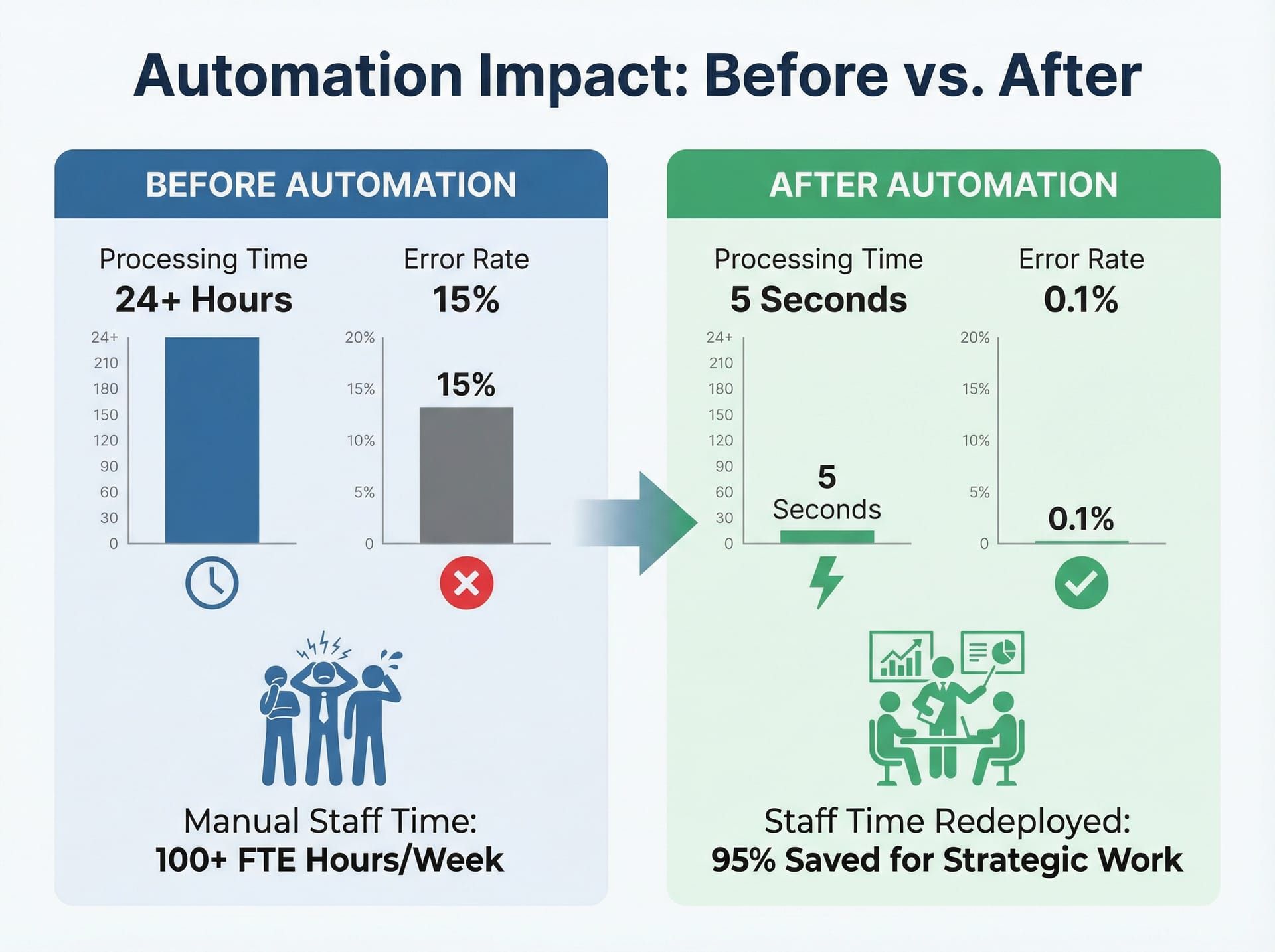
The automation eliminated manual data entry delays, reduced errors, and freed staff to focus on complex claim assessment rather than repetitive data processing.
Error reduction was measurable. Manual data entry typically produced errors in approximately 3% to 5% of claims — transposed digits, missed fields, incorrect categorisations. These errors were not malicious or even particularly careless. They were the inevitable result of repetitive manual work done under time pressure. The automation reduced data entry errors to near zero for standard-format XML files. The errors that did occur were now concentrated in the edge cases: malformed XML, unexpected data formats, or incomplete information in the source referral. These errors were flagged immediately rather than discovered days later when a technician arrived on-site without critical information.
Staff redeployment was the less obvious but equally valuable outcome. The hours saved on data entry were reallocated to higher-value work: triaging complex claims, communicating with customers, coordinating parts supply, and improving technician scheduling. The people who had been doing data entry did not lose their jobs — they gained time to focus on work that required human judgement rather than manual transcription. This is the productivity dividend of automation: not replacing people, but removing the low-value tasks that waste their expertise.
The long-term reliability outcome is equally important. This automation has been running, with minimal intervention, for years. During that time, it has processed tens of thousands of claims. The uptime has been exceptionally high — occasional downtime for system maintenance or schema updates, but no prolonged outages due to automation failure. The operational team stopped actively monitoring it after the first few months of stable operation. It became infrastructure — reliable, invisible, and trusted.
This project also laid the groundwork for more sophisticated automation work. The lessons learned here — about error handling, logging, graceful degradation, and fail-safe design — directly informed later projects including the Smart Assess computer vision system and eventually ClaimPilot, which evolved the core concept of automated claims intake into an AI-powered matching and dispatch platform. The Email-to-XML automation was not flashy, but it was foundational.
What does this automation look like working in production?
A typical day starts at midnight. The automation does not sleep, so there is no "start" in the traditional sense, but midnight is when the system log files rotate and the daily activity counters reset. By morning, the system has already processed any overnight claim referrals — insurance damage does not respect business hours, and insurers send referrals whenever they are lodged.
At 8:30 AM, the operations team arrives. They open the monitoring dashboard and see the overnight activity: 12 claims processed, 11 successful, 1 flagged for manual review due to a missing policy number field. The flagged claim is in the "manual review" folder with a clear log entry explaining the issue. Someone opens the original email, sees the policy number was mentioned in the email body but not included in the XML structure, manually creates the job record, and moves on. The entire review takes two minutes. The automation handled the other 11 without intervention.

The automation works around the clock — processing claims on weekends, holidays, and overnight without requiring human supervision.
Throughout the day, emails continue arriving. Some in bursts — an insurer sends a batch of referrals at 10 AM. Some sporadically — individual claims trickle in as policyholders lodge them. The automation processes each one as it arrives. VBA detects the email within seconds. Python parses the XML and calls the FileMaker API. A job record appears in the database. A technician sees a new job in their queue. The cycle repeats hundreds of times per week, and nobody watches it happen.
On Friday afternoon, the operations manager runs a weekly report. Claims processed this week: 423. Successful automated intake: 418. Flagged for review: 5. API errors: 0. The five flagged cases are reviewed: three had malformed XML from a new referral provider who had not followed the schema specification (the provider was contacted and corrected their export format), one was a duplicate claim that the system correctly identified and flagged, and one had an unusual character encoding issue that was added to the parser's exception handling list. These edge cases improve the system over time — each new failure mode that gets identified and handled expands the automation's coverage.
The system runs through weekends and public holidays without any change in behaviour. On Waitangi Day, Anzac Day, Christmas — the automation processes claims. There is no "out of office" for a VBA script. This continuous operation is particularly valuable for emergency claims: a burst pipe on a Saturday, a storm damage claim on a Sunday. These referrals enter the system immediately, and the on-call technician sees them in their queue without waiting for Monday morning data entry.
The evolution from this foundational work to modern AI-powered solutions is a natural progression. The Email-to-XML automation demonstrated that structured data intake could be fully automated with traditional parsing and API integration. That principle scaled: if you can automate XML parsing, can you automate image-based damage assessment? That question led to Smart Assess. If you can automate claim intake, can you automate supplier matching and parts dispatch? That question led to ClaimPilot. The technology changes — VBA and Python evolve into AI and computer vision — but the underlying principle remains: find the repetitive, structured work that wastes human time, and build reliable automation that handles it invisibly.
This is what business automation looks like when you start from the operational pain rather than the technology hype. No buzzwords. No dashboards that exist to justify their own existence. Just a system that does one thing, does it well, and keeps doing it without requiring someone to watch. That reliability, more than any technical sophistication, is what made this automation valuable.
What technology powers the Email-to-XML automation?
VBA (Visual Basic for Applications) — Email monitoring and content extraction from Outlook/Exchange, running as a persistent background process. Filters incoming emails by sender, subject, and content patterns. Triggers Python processing pipeline via command-line execution.
Python — XML parsing, data validation, and transformation logic using standard libraries (xml.etree for parsing, re for pattern matching, json for API payload construction). Normalises phone numbers, dates, and addresses to consistent formats. Constructs authenticated API requests to FileMaker Pro.
FileMaker Pro API — Direct database record creation via REST API, bypassing manual data entry interface. Receives JSON payloads from Python and creates job records with full validation and constraint checking.
Error Handling & Logging — Automated failure detection with granular error categorisation. Failed processing attempts logged with full context (email details, XML content, error messages). Automated alerts for critical failures. Separate folders for different error types (malformed XML, API errors, manual review required).
Continuous Operation — Configured as a persistent Outlook VBA script with automatic restart on Outlook launch. Windows Task Scheduler ensures Outlook launches on system startup. Watchdog timers detect processing stalls and trigger restarts. Runs 24/7 without manual supervision.
FAQ
Can email-to-database automation work for businesses outside insurance?
Yes. This pattern applies to any business receiving structured data via email (XML, CSV, JSON attachments, or even formatted email body text). Industries like logistics, real estate, healthcare, and professional services all handle high-volume email data intake that can be automated. The core principle — monitor emails, parse structured content, create database records — works wherever the data format is predictable and the workflow is repetitive.
What happens if the automation encounters an email it cannot process?
The system includes comprehensive error handling. Emails that fail parsing are flagged, logged with the specific error (missing fields, malformed XML, unexpected format), and routed to a human review queue. An automated alert notifies the operations team. The system continues processing subsequent emails without interruption. Failed emails are moved to categorised folders that make troubleshooting efficient.
How much maintenance does this kind of automation require?
Minimal. Once configured and tested, the Email-to-XML automation has run for years with only occasional updates when the XML schema changed from upstream providers. No daily or weekly maintenance required. Monitoring consists of checking the daily processing summary and reviewing flagged edge cases. System updates (Windows, Outlook) occasionally require restarts, but the automation resumes automatically. This "set-and-forget" reliability is the primary value proposition.
Is this automation approach still relevant in the age of AI?
Absolutely. Not every automation problem needs AI. For structured data with predictable formats (XML, CSV), traditional parsing and API integration often provides faster, more reliable, and more cost-effective solutions than AI-powered alternatives. AI excels at ambiguous, unstructured, or highly variable data. Deterministic automation excels at predictable, structured workflows. This project demonstrates the principle of using the right tool for the job — a principle that remains valuable regardless of technological trends.
Can EmbedAI build similar automation for my business?
Yes. While this project was built during the Connect NZ era, the same automation principles inform our current work at EmbedAI. Whether you need traditional workflow automation like this Email-to-XML system, or AI-powered solutions like ClaimPilot and CallCover, we build reliable systems that eliminate repetitive manual work. Our approach to automation consulting starts from understanding your operational pain, then selects the appropriate technology — traditional automation, AI, or a hybrid — to solve it. Contact us to discuss your specific requirements.